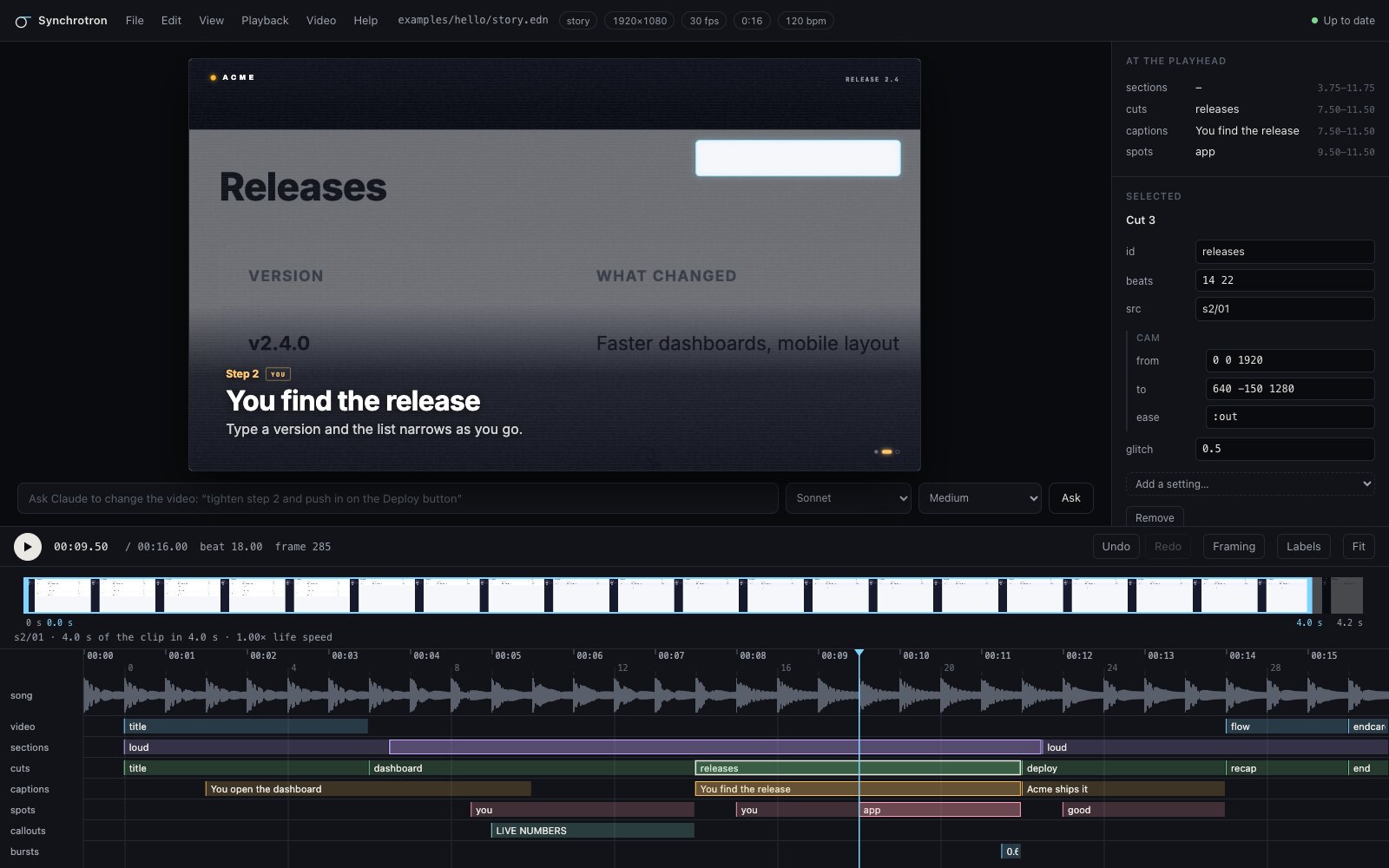
Watch Me Make Me A video of Synchrotron, made with Synchrotron. 1:07.
What you get
For a feature or a pull request
A feature clip
Fifteen to forty seconds: two to four captioned steps that show what changed, for someone who hasn't seen it. The camera opens wide and pushes in on the part that matters.
Captions that say who does what
A spotlight on what each step is about
Small enough to attach to a pull request
Filter releases by status A made-up pull request in a made-up app, Acme, as a clip. 0:21, no sound.
For launch day
A launch video
When the release is a big one. Two to three minutes: an original song about what you shipped, its lyrics on screen as they are sung, and your product cut on the beat. Made to be watched to the end and passed around.
A song written for this launch
Every feature you name gets its moment
1080p, with a thumbnail and the lyrics for the description
Every Paw Accounted ForPawlytics, sung by a puppy: from intake day to adoption day, over the real app. 3:36.
Don't want to wait?
Work with us now
We're making demo videos with a few teams directly, with Synchrotron as it is today. Tell us what your product is and what you want shown, and we'll make the video with you.
A staging or demo account, and the pull request or the list of what shipped. Synchrotron works on made-up data, and blocks the outside services a demo shouldn't touch.
2
Synchrotron records your product
A browser signs in and uses the app the way a person would: it clicks, types and scrolls through each thing the video shows. Every frame in the video comes from those recordings.
3
It cuts the clip
Two to four steps, each with a caption that says who does what, a camera that pushes in on the part that matters and a light on it. For a launch video it also writes the song, and you pick a take before anything is cut to it.
4
You see it before it's done
Stills first, then a half-size preview, then the final. Each is a point to say what's wrong, when changing it is still cheap.
Coming
Synchrotron, for making your own
A video here is a script: which recording plays when, what each caption says, where the camera looks, all timed in beats of the song. Software draws every frame from it, so a change is a change to the script.
Synchrotron is the tools that record and draw it, a connection that lets your coding agent drive them, and an editor in the browser, working together. Every video on this page was made with it, and the one at the top is of it. It will open to teams who want to make their own clips.
On YouTube
Watch what Synchrotron makes
The videos on this page, and each new one as it is made, are on the synchrotron-beam channel.
Yes. The video is cut from recordings of your app running, on a demo or staging account. Nothing is mocked up or generated to look like it.
What does it need from you?
A way to sign in to a demo or staging environment, what changed or what you're launching, and your logo and colors.
Does real customer data end up on screen?
No. Synchrotron records against made-up data, and you see every recording before it goes into a cut.
Our product will change after launch. Then what?
The video is built from a script, the recordings and the song, so it can be made again. When a screen changes, that part is recorded again and the video is rendered again, with the cut and the song as they were.
Want a clip of your next release?
Leave your email address, and we'll write to you when you can make your first one.